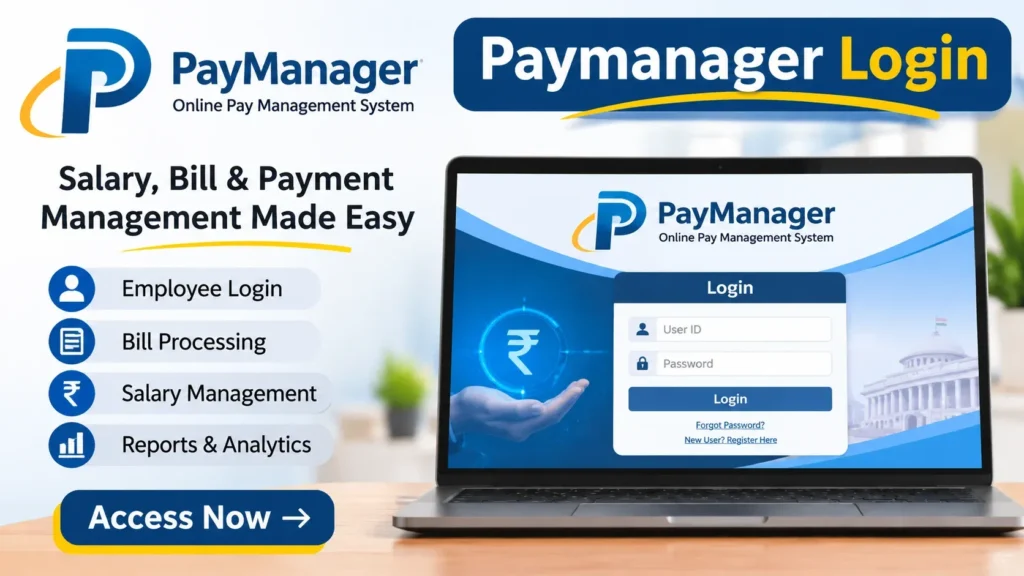

Rajasthan state government employees log in at paymanager.rajasthan.gov.in, pick Employee or DDO, enter user name, password and captcha, and open Employee Corner for the salary slip. Panchayati Raj staff use the separate PRI Paymanager Login.
Which Paymanager is yours?
| Portal | For whom | Address as listed |
|---|---|---|
| Paymanager | State government employees and DDOs | paymanager.rajasthan.gov.in |
| PRI Paymanager | Panchayati Raj employees | pripaymanager.rajasthan.gov.in (or pripaymanager.raj.nic.in on one page) |
| IFMS 3.0 | Wider finance system | ifms.rajasthan.gov.in |
| Old addresses | Older pages still show paymanager.raj.nic.in and paymanager2.raj.nic.in | Older sources |
A 2022 Shiksha Coach post says Paymanager prepares salary bills for all Rajasthan government employees except Panchayati Raj staff. “Pre Paymanager” and “Pri Paymanager” mean the same PRI portal. Why this matters: if your details are missing, you are probably on the wrong portal.
Also Read: Workline HRMS
Paymanager login for Employees (कर्मचारी)
- Open paymanager.rajasthan.gov.in.
- Click For DDO/Employee Login.
- Choose your type: DDO, Employee, Digital, Department or Sub DDO.
- Enter your user name, password and captcha, then click Login.
| Login type | Used for |
|---|---|
| Employee | Salary slip, income tax statement, profile |
| DDO | Pay bills, arrears |
| Sub DDO and Department | Office-level work |
| Digital | Digital signature users |
हिंदी में: paymanager.rajasthan.gov.in खोलें → “For DDO/Employee Login” → Employee चुनें → यूजर नेम, पासवर्ड और कैप्चा डालकर लॉगिन करें।
Rajasthan PayManager Login Portal
Visit the official Rajasthan PayManager portal to access employee login, check monthly salary slips and income tax statements, and use government payroll services. DDO users can also prepare salary bills, arrears and other payment-related bills.
Paymanager login ID and Paymanager Default Password
Your login ID is generally your employee ID (RJ… format). The default password is where pages disagree.
| Claim |
|---|
| Last 4 digits of your salary bank account |
| Date of birth or last 4 digits of the account after a reset (PRI) |
| An official default-password rule |
What to do: ask your DDO, and change the password as soon as you log in. Never share it, and never type it on a link sent by message.
Also Read: DVET HRMS Login
PRI Paymanager login (Panchayati Raj)
Third-party pages say that at pripaymanager.rajasthan.gov.in, four options appear before login: DDO, Employee, Department and Sub DDO. You choose one, then enter the user name, password and captcha.
| Task | Steps from third-party pages |
|---|---|
| Rajasthan gov in PRI Paymanager login | Open the PRI portal, select Employee, enter details, captcha, Login |
| PRI Paymanager login password reset | Click Forgot Password (Employee Login), enter employee ID and bank account number (some pages also mention mobile or email verification) |
| PRI salary slip | Employee Corner, then Pay Slip, then month and year |
Since the address itself is disputed, ask your DDO for the right link and don’t search for it through ads.
Paymanager Login Rajasthan gov in: Salary Slip
| Step | What to do |
|---|---|
| 1 | Log in as Employee |
| 2 | Open Employee Corner → Employee Report |
| 3 | Choose Pay Slip (Monthwise) |
| 4 | Select month, year and financial year, then download or print |
The slip shows basic pay, DA, HRA and deductions such as GPF, GIS, income tax and loans. Menu names may differ by version. Some pages also mention GA-55, the consolidated salary bill register that offices use, but employees do not need it for a salary slip.
Paymanager login password reset (State Employees)
| Step | Detail (egovtschemes, June 2026) |
|---|---|
| 1 | Click Forgot Password (Employee Login) |
| 2 | Enter employee ID, bank account number and date of birth (DDMMYYYY) |
| 3 | Enter the OTP |
| 4 | Set a new password |
If your bank merged with another, use the new account number, and ask your DDO to update the IFSC code. If your mobile number is not registered, one page says to leave the mobile field blank so the DDO can approve.
Also Read: Khajane 2 login
DDO Paymanager login
DDOs pick DDO Login and use their DDO code. According to NIC Rajasthan, Paymanager supports electronic payment of all bill types, automatic salary processing, SIPF loan processing and payments through RBI e-Kuber.
IFMS 3.0 Paymanager login
NeGD describes IFMS 3.0 as the latest version of Rajasthan’s Integrated Financial Management System. A November 2026 blog says IFMS 3.0 employee self-service uses SSO Rajasthan credentials, while the Paymanager page has its own user name and password. Ask your DDO which login your office uses for each service.
Login not working?
| Problem | What to try | Why |
|---|---|---|
| Details not found | Check Paymanager vs PRI Paymanager | Different employee groups |
| Reset fails | Use the current bank account number | Master data must match |
| Login keeps failing | Try Chrome Incognito | Clears cache issues |
| OTP not coming | Ask your DDO to update your mobile | OTP goes to the registered number |
| Old address fails | Use paymanager.rajasthan.gov.in | Older raj.nic.in addresses may be retired |
| Need help | Third-party pages list 0141-5111010 and 0141-5111007 | Numbers can change |
Avoid fake links
| Warning sign | What to do |
|---|---|
| A WhatsApp link to “update Paymanager” | Don’t click |
| A page asking for your OTP or full bank details | Close it |
| An unknown helpline number | Use only numbers on the official page |
Also Read: Sevarth Mahakosh
FAQs
Does Paymanager work on a phone?
A third-party page says there is a Pay Manager app, but I could not verify it.
Can my DDO log in as me?
No. Each login is tied to its own ID.
Why does it ask for a captcha?
It blocks automatic logins, so type it exactly as shown. Case rules are unclear, so match the letters you see.
Conclusion
For Paymanager Login, use paymanager.rajasthan.gov.in as a state employee and the PRI portal if you work in Panchayati Raj. Keep your DDO and mobile details current, and never share your OTP.