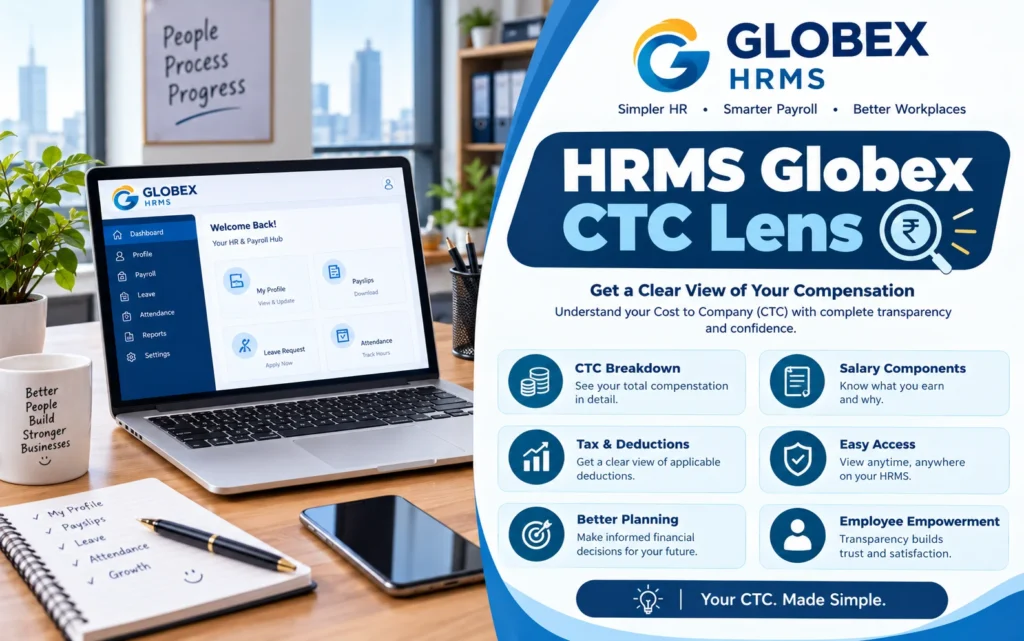

HRMS Globex appears to be an employee HR login portal hosted at hrms.theglobex.com. It is mainly used for employee login, attendance, leave and payslip access—not as an HR software product that any business can openly sign up for and buy.
Verification note: The portal login page is publicly visible, but its ownership, internal features and pricing could not be independently confirmed. Treat third-party feature and pricing claims carefully.
What Is HRMS Globex?
HRMS stands for Human Resource Management System. Such systems generally help organisations manage employee records, attendance, leave, payroll and other HR processes from one place.
In the case of HRMS Globex, the clearest confirmed detail is the login page at hrms.theglobex.com. The page shows fields for username, password and captcha, along with a “Forgot password?” option.
Some websites describe HRMS Globex as cloud-based HR software for businesses of all sizes. However, these claims are not supported by an official product page, transparent pricing or verifiable customer reviews.
Simple distinction:
- For employees: HRMS Globex is likely the portal your employer uses for attendance, leave and salary-related information.
- For business owners: There is no reliable public evidence that HRMS Globex can be purchased as a standalone product.
HRMS Globex Login Guide
Employees generally cannot create their own HRMS Globex account. Login credentials are normally issued by the employer, HR department or IT team.
How to log in safely
- Open the exact portal link shared by your HR team, commonly reported as hrms.theglobex.com.
- Enter the username or employee ID issued by your organisation.
- Enter your password carefully. Passwords are usually case-sensitive.
- Type the captcha shown on the screen. If it is unclear, refresh it instead of guessing.
- Click Login or Sign In.
- If you forget your password, use the Forgot Password option or contact HR/IT support.
Security warning: HR portals contain salary and personal information, so fake login pages are common. Do not enter credentials through links received from unknown SMS, WhatsApp or email senders. Type the official address yourself or use the link provided by HR.
Common login problems
- Wrong password: Check for typing errors or expired credentials, then use password reset or contact HR.
- Account not found: Your account may not have been created yet. Confirm your employee ID with HR.
- Portal not loading: Try another browser, clear cache, or switch to a different network.
- Suspicious link: Do not log in. Ask HR to confirm the official portal address.
HRMS Globex Features: What Is Verified?
Many websites list broad HR features for HRMS Globex, but very few provide screenshots, official documentation or evidence that those features belong to this particular portal.
Likely employee-facing functions
- Attendance tracking: Viewing or managing daily attendance records.
- Leave management: Applying for leave and checking leave balances.
- Payslips and salary details: Downloading salary slips or reviewing payment information.
- Employee self-service: Viewing or updating personal HR-related details.
Features such as recruitment, applicant tracking, performance reviews, AI analytics, encryption and two-factor authentication are often mentioned online. However, these appear to be generic HRMS claims rather than confirmed HRMS Globex features.
Payroll and Attendance: What Employees Should Check
If you have portal access, payroll and attendance are likely the most important sections. Attendance and leave records often affect salary calculation, so review them before payroll closes each month.
- Gross and net salary: Ensure the amount credited to your bank account matches your payslip.
- Deductions: Review PF, ESI, professional tax, TDS and other deductions.
- Attendance entries: Check for incorrect absent marks, late entries or missing punch records.
- Leave balance: Confirm available paid leave before planning time off.
- Payslip downloads: Save monthly payslips as PDFs for loans, tax filing and future reference.
Tip: If your payslip looks incorrect, download it, note the month and expected amount, and email HR or payroll in writing. Payroll errors are easier to correct within the same salary cycle.
HRMS Globex Pricing and Review
There is no verified public pricing page for HRMS Globex. The portal does not show plans, demo options or a public sign-up flow, which supports the view that it is an employer-managed system.
Some third-party articles mention subscription pricing, per-employee charges and free trials. These claims are inconsistent and lack official sources, so they should not be treated as reliable.
Important: Employees should never pay to access an employer HR portal. Businesses should ask for an official demo, company registration details and client references before making any payment.
Also Read
Alternatives for Indian Businesses
If you need HR and payroll software for your company, consider established platforms that publish pricing and offer official support. Prices below are indicative and may change, so request a written quote including GST.
- greytHR: Often reported from around ₹2,495–₹3,495 per month for about 50 employees. Suitable for small and mid-size firms focused on payroll.
- Keka: Often reported around ₹6,999–₹9,999 per month for up to 100 employees. Suitable for companies wanting a modern employee experience.
- Zoho People: Often reported around ₹48–₹60 per employee per month. Payroll may be priced separately.
- Darwinbox: Pricing is usually available on request. Suitable for larger enterprises.
Before choosing any HRMS, compare payroll compliance, attendance integration, leave policies, employee self-service, data security, support quality and the total first-year cost.
How to Spot a Fake HRMS Globex Page
- Do not click login links sent by unknown numbers or unfamiliar email addresses.
- Check the web address carefully. Lookalike domains may add extra words or use a different ending.
- Never pay to “register” for an employer HR portal.
- Type the portal address yourself or use the link provided by HR.
- If unsure, contact your HR or IT department before entering credentials.
Key Takeaways
- HRMS Globex appears to be an internal employee portal, not a publicly purchasable HR software product.
- Use only the portal link and credentials provided by your employer.
- Do not trust exact pricing or star ratings without an official source.
- For business HR software, shortlist vendors with transparent pricing, official documentation and verifiable reviews.
FAQs
Why do websites describe HRMS Globex differently?
A real employee login portal appears to have attracted search interest, and several content sites have written generic HR-software articles around the same name. This creates conflicting descriptions.
Can I create my own HRMS Globex account?
No public self-registration path is confirmed. Employee accounts are generally created by the employer’s HR or admin team.
What should I do if my payslip is wrong?
Download or screenshot the payslip, note the month and discrepancy, and contact HR or payroll in writing as soon as possible.
Is it safe to log in from a public computer?
Avoid it if possible. If unavoidable, use a private browsing window, never save the password, and log out completely after use.