
Short Answer
Department officials use the HRMS portal at hrmshry.nic.in. Individual employees use
intrahry.gov.in for self-service tasks such as salary slips, leave applications, service book
details and GPF statements.
Quick Check
| Result | Details |
|---|---|
| Official HRMS portal | hrmshry.nic.in |
| Employee self-service portal | intrahry.gov.in |
| Verified helpline number | None found on an official page |
| Live portals opened while writing | No — automated access blocked |
| Date checked | October 23, 2026 |
Scam Warning
Many look-alike blogs, apps and links copy the HRMS Haryana name. Never share your password or OTP with anyone who
calls or messages you, and never install an app sent by SMS or WhatsApp. Type the official address yourself.
Why People Get Confused About HRMS Haryana Login
You search for “HRMS Haryana login”, open three websites, and get three different answers. One says log in at
hrmshry.nic.in. Another says intrahry.gov.in. A third talks about e-Salary and something called IFMS.
The confusion is real because the state uses more than one name and more than one portal for the same system.
Different pages also copy each other, so old information keeps circulating.
| Why it feels confusing | What is really going on |
|---|---|
| Two portal addresses | One is for officials, the other for employees |
| Many names: HRMS, Intra Haryana, Karamchari Sahayak | They refer to parts of the same ecosystem |
| Salary talk mentions e-Salary and IFMS | Payroll runs on a linked system |
| Old blogs | Many were written years ago and not updated |
HRMS Haryana Full Form and Purpose
HRMS stands for Human Resource Management System. A General Administration Department circular
describes HRMS as a flagship programme of the Haryana Government that was adopted in 2017. The same circular asked
departments to set up an HRMS cell and appoint an HRMS nodal officer.
The system keeps the service record of government employees in one place. It is also used for transfers and other
service matters.
| Point | Detail |
|---|---|
| Full form | Human Resource Management System |
| Adopted | 2017, as a flagship programme |
| Official HRMS portal | hrmshry.nic.in |
| Who runs it day to day | Department HRMS cells and nodal officers |
| Main uses | Service records, transfers, ACP and time-scale cases |
Why this matters: The state treats HRMS data as the base record. If your details are wrong or
missing, the problem can show up later in transfers or pay.
HRMS Haryana, Intra Haryana and e-Salary: What Each Name Means
This is the part most pages skip. Here is a clear split.
| Name | Who uses it | What it does |
|---|---|---|
| HRMS Haryana hrmshry.nic.in |
Department admins, nodal officers, officials | Service records, transfers, ACP, time scale |
| Intra Haryana / Karamchari Sahayak intrahry.gov.in |
Individual employees | Service book, bio-data, GPF statement, salary slips, leave, tour |
| e-Salary / IFMS | Payroll and accounts staff | Salary generation and pay bills |
The official HRMS page says that, from March 2020 onwards, salary data is sent from HRMS to the salary generation
page, and the pay bill is then generated from the e-Salary portal. This is the link between HRMS and IFMS-style
payroll tools.
How the Systems Connect
- Service and pay data is kept in HRMS.
- Data is sent through the Salary Generation page.
- The pay bill is generated in e-Salary.
- Salary is paid.
HRMS Haryana Login: Step by Step
For Employees
The official snapshot says employees can view their service book, bio-data, GPF statement, salary statement and
salary slips, and can apply for leave and tour, on the employee portal intrahry.gov.in. It says
the Intra Haryana or Karamchari Sahayak user ID and password are used to log in.
- Open intrahry.gov.in in your browser.
- If you are a new user, look for the New Registration option. Third-party pages say an OTP goes to the mobile number in your department records.
- Set a password and log in.
Some third-party pages say employees log in on hrmshry.nic.in instead, and some mention OTP or password options on
that page. This could not be confirmed on a live official page. Follow whatever the official website shows you.
Intra Haryana Portal
Access Haryana Government employee services, including salary slips, leave applications, service records and other HR-related facilities.
For Officials and Nodal Officers
Officials log in on hrmshry.nic.in using the admin, checker or department credentials issued to
them. The official snapshot says boards or corporations that do not have a department user can request login
details from the helpdesk contacts listed on that page. Those contact details are old, so ask your department for
current ones.
| Who you are | Where to log in | Credentials |
|---|---|---|
| Employee | intrahry.gov.in | Intra Haryana / Karamchari Sahayak ID and password |
| Department official | hrmshry.nic.in | Admin or checker credentials |
| Board with no department user | Request login through contacts on the HRMS page | Issued on request |
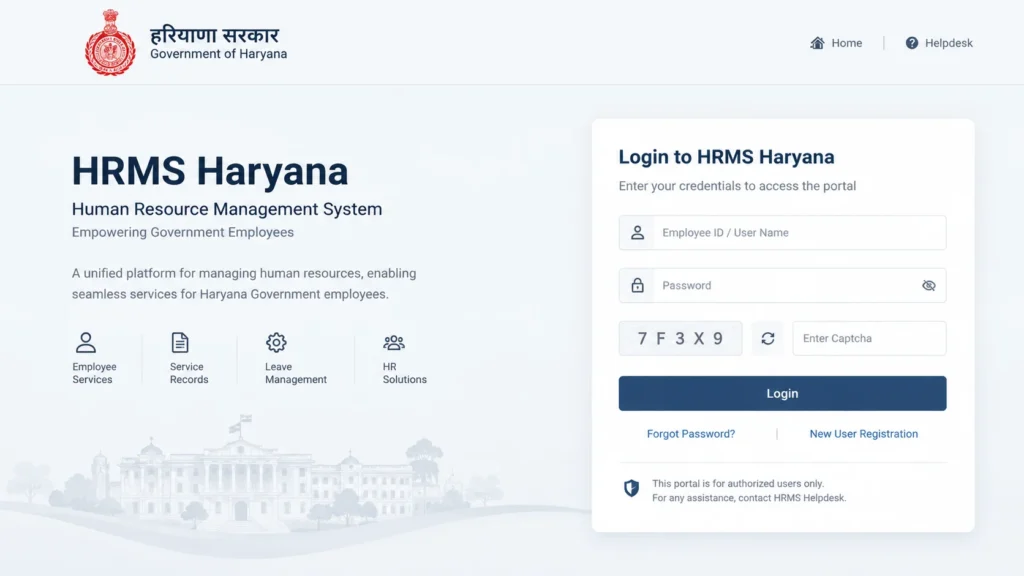
GOVERNMENT OF HARYANA
HRMS Haryana
Human Resource Management System
Common Login Problems
| Problem | Likely cause | What to do |
|---|---|---|
| OTP not received | Old or wrong mobile number in records | Ask your department nodal officer to update it |
| Cannot register | Your data is not yet entered in HRMS | Contact your department HRMS cell |
| Wrong page opens | Look-alike or fake site | Close it and type the official address |
| Password forgotten | Normal reset need | Use the reset option on the official login page |
Why the mobile number matters: OTP codes go only to the number stored in department records. If
that number is old, repeated attempts will not help. The record has to be corrected first.
HRMS Haryana Salary Slip
Your salary slip is on the employee portal, not on the admin side. The official snapshot lists salary slips, the
salary statement and the annual salary statement among the employee services. The Haryana Government’s own “See
Your Salary” page also directs employees to intrahry.gov.in for salary slips, annual salary statements and payment
details.
A third-party walkthrough says the path is: log in, open eSalary Services, choose
Salary Slip, and click Show. The exact menu names could not be verified on the
live site, so treat them as a pointer, not a rule.
| Document | Why you might need it |
|---|---|
| Monthly salary slip | Loan applications, rent proof, visa forms |
| Annual salary statement | Income tax filing |
| GPF statement | Checking your provident fund balance |
If your pay looks wrong, the cause may be in your HRMS records. A 2021 order reported by The Tribune said salary
would not be released unless employee data was entered in HRMS. Check whether that rule still applies to your
department.
How to Apply Leave on HRMS Haryana
The official snapshot says employees can apply for leave and tour online on the employee portal. It also lists
leave balance, such as earned leave and half-pay leave, among the records departments should keep updated.
| Step | What to do |
|---|---|
| 1 | Log in on intrahry.gov.in |
| 2 | Open the leave option |
| 3 | Choose the leave type and dates |
| 4 | Add the reason and submit |
| 5 | Track the status until your office acts |
The exact menu labels could not be verified, and approval rules depend on your department. Check your office order.
How to Transfer an Employee in HRMS Haryana
An employee cannot transfer themselves on the portal. The competent authority does it, and the system records each
step.
The Rule on Transfer Orders
In December 2024, the Chief Secretary instructed that all transfer orders, including temporary ones, must be issued
through the HRMS module. Orders issued outside HRMS are treated as invalid. Employees transferred without an
HRMS-issued order are not allowed to join the new station and must continue in their current posting. Joining
reports must also be filed through HRMS.
The instruction also says no transfers of Group A, B, C or D employees should happen without the Chief Minister’s
transfer advisory.
The Model Online Transfer Policy
| Point | What the Gazette says |
|---|---|
| Platform | An online transfer platform integrated with HRMS |
| First stage | Creation and start of a transfer drive |
| Who it covers | Departments where a cadre’s sanctioned strength is 50 or more, with listed exceptions |
| Timing | General online transfers are preferably made once a year |
| Orders | Generated and issued after the competent authority’s approval |
| Implementation | Within 10 days of issue |
| Data | Departments must keep employee data updated in HRMS; HRMS data is presumed true |
| Complaints | An aggrieved employee can represent within 15 days of orders, through Intra Haryana, after joining |
Why this matters: If your HRMS record is wrong on the qualifying date, you cannot easily fix it
afterwards. Check your data well before a drive.
Read More:
HRMS Haryana Helpdesk and Phone Number
No helpline number was found on an official government page. The official snapshot says grievances can be submitted
on Help Desk Haryana using HRMS login credentials, and a General Administration Department circular says each
department should have an HRMS nodal officer.
Two third-party pages list 1800-180-2020 and
hrms.support@haryana.gov.in.
These could not be confirmed on any official page, so they are not recommended.
FAQs
Does HRMS data affect my salary?
It can. HRMS data flows into salary generation, and earlier instructions linked salary release to HRMS data entry. Check with your department for the current rule.
What if my HRMS data is wrong during a transfer drive?
The Gazette presumes HRMS data is true, so ask your department to correct it before the drive. The policy also allows a representation within 15 days of the transfer orders.
Who fixes errors in my records?
Your department’s HRMS nodal officer or admin user. The portal itself cannot change records for you.