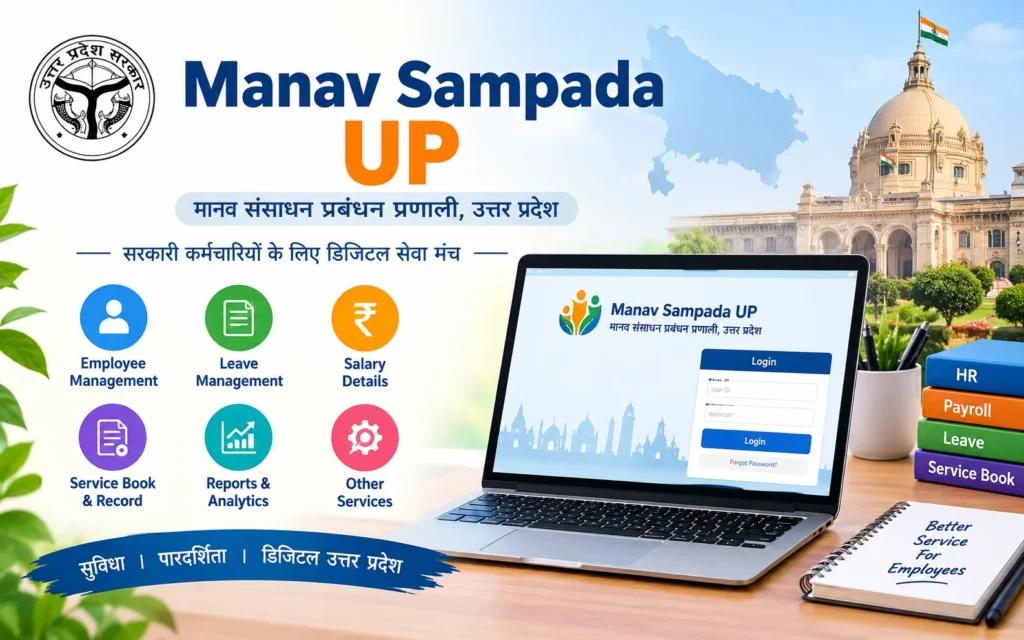

Manav Sampada Up is the Uttar Pradesh government’s online HR portal (eHRMS) where state employees log in at ehrms.upsdc.gov.in to apply for leave, view salary slips, check service records and handle other work details.
Quick Stats: Manav Sampada UP at a Glance
| Detail | Fact |
|---|---|
| Portal name | Manav Sampada UP (eHRMS Uttar Pradesh) |
| Full form of eHRMS | Electronic Human Resource Management System |
| Official web address | ehrms.upsdc.gov.in |
| Built by | NIC (National Informatics Centre), Uttar Pradesh State Centre |
| Who uses it | Uttar Pradesh government employees, including teachers |
| Main services | Attendance, leave, salary slip, service book, transfer and retirement details |
| Login details needed | Department, Employee ID, password and captcha |
| Registration | Handled by your own department |
| Departments registered (older figure) | 83 departments, as reported in 2023 |
| Cost to use | Free for employees |
What Is Manav Sampada UP?
“Manav Sampada” means human resources. The Manav Sampada Portal is a digital system that keeps the work records of government employees in one place. NIC’s Uttar Pradesh State Centre built the UP version, and it lives at ehrms.upsdc.gov.in.
Think of it as a digital office file. Paper leave forms, trips for a salary slip and handwritten service books all give way to an online account. Manav Sampada Up lets a teacher in a remote village do the same work as a clerk sitting next to the office printer.
Manav Sampada Up .in and the Official Website
Many people type Manav Sampada Up .in into the search bar and land on all sorts of pages. Some are helpful blogs. Some are not official at all. A search for Manav Sampada Up .in may also show look-alike pages, and Manav Sampada Up .in is not an official web address by itself.
The only official address to remember is ehrms.upsdc.gov.in.
Here are the safe ways to reach it:
- Type ehrms.upsdc.gov.in yourself in your browser.
- Or go through the national eHRMS home page, choose Uttar Pradesh, and follow the link.
And here is what to avoid:
- Links that reach you through social media or random messages
- Look-alike websites that ask for money to “activate” your account
Safety tip: Manav Sampada Up is free for employees. If a site asks you to pay, close it.
How to Search Manav Sampada Up the Smart Way
When you Search Manav Sampada Up, the results can be crowded. If you Search Manav Sampada Up on your phone, the top result may not be the official one. Before you Search Manav Sampada Up again, follow these points:
- Type the web address directly instead of searching.
- If you do search, look for addresses ending in gov.in.
- Check that the page asks for department and Employee ID, not bank details.
- Never enter your password on a page that opened from a message or an ad.
- Bookmark the official page once you find it.
Who Can Use Manav Sampada UP Government Services?
The portal is for employees of Uttar Pradesh government departments. In short, Manav Sampada Up Government access follows your department, not your job title. A department must be registered on the portal before its staff can use it.
People who commonly use it:
- Government school teachers, who can apply for leave online
- Basic Education staff
- Police personnel, where the department is registered
- Medical and health staff, where the department is registered
People who cannot use it:
- Private sector employees
- Employees of other states, who have their own systems
Read More: HRMS Bihar Salary Slip
Manav Sampada Up Basic: Keep These Ready
Having a few things ready makes Manav Sampada Up Basic tasks much smoother. Every Manav Sampada Up Basic task starts with the same login, so keep this checklist handy:
- Your Employee ID, which works as your user ID
- Your department name
- Your password, which your department gives or resets
- A mobile number linked to your record
- A phone or computer with steady internet
Manav Sampada Up Login Page: What You Will See
The Manav Sampada Up Login Page is simple, and it looks much the same on phone and computer. You will see an eHRMS Login button near the top right of the home page. Click it, and a box opens asking for these details:
- Department: pick yours from the drop-down list
- Employee ID / User ID: type it carefully
- Password: your personal password
- Captcha: the letters or numbers shown on screen
Manav Sampada Up Login: 7 Easy Steps
If the Manav Sampada Up Login Page feels confusing, follow these steps in order. Here is the full process for Manav Sampada Up Login. You can also say Manav Sampada Login for short, as most employees do.
- Open your browser on a phone or computer.
- Type ehrms.upsdc.gov.in in the address bar.
- On the home page, click the eHRMS Login button.
- Choose your department from the list.
- Enter your Employee ID.
- Enter your password and the captcha.
- Click Login. Your dashboard opens.
Manav Sampada Login Uttar Pradesh: What Is Different Here?
Think of Manav Sampada Login Uttar Pradesh as one state’s door, not a national key. Other states have their own portals, so do not assume the same details work here.
The UP version has its own web address, asks you to select a department at login, and your department is the first place to go for help.
In short, Manav Sampada Login Uttar Pradesh needs UP-specific details.
Forgot Your Password? What to Do
It happens to everyone. Stay calm and follow these points:
- Use the Forgot Password option on the login page.
- If it does not work, ask your department to reset the password.
- Do not keep guessing, because repeated wrong tries can lock accounts.
- After you get in, change the password straight away, and never share it.
Common Login Problems and Quick Fixes
Even a simple portal can be moody. Here are the usual problems:
- “Invalid user” message: Re-check your Employee ID and department.
- “Wrong password” message: Retype slowly, then ask your department to reset it.
- Captcha keeps failing: Refresh the page and type it again.
- Page will not load: Try later, or switch networks.
- Account not found: Your department may not have added you yet, so contact your office.
Manav Sampada Up Portal: What Can You Do After Login?
The Manav Sampada Up Portal is more than a login box. Everyone who uses the Manav Sampada Up Portal sees a dashboard that matches their department. From there, you can reach these services:
- Attendance and leave: fill attendance, apply for leave and check status
- Salary slip: see monthly pay details
- Service book: view your digital service record
- Employee details, transfers and retirement records: view your profile and history
Read More: Divyang Pension
Manav Sampada Up Employee Details: Keep Them Correct
Your Manav Sampada Up Employee Details are the heart of your account. Keeping Manav Sampada Up Employee Details accurate protects your pay and records, because a small spelling mistake can delay leave approval, salary or even retirement paperwork.
Check these items carefully:
- Name and parents’ names, which must match your service records
- Date of birth and date of joining, which affect retirement and leave
- Bank account, because your salary goes there
- Posting and office, which decide who approves your leave
Manav Sampada Leave: How to Apply Step by Step
Leave is the feature most people use. The Manav Sampada Leave module lets you apply, track and check balances without a paper form. If you search for Manav Sampada Portal Up For Leave Application, the steps below are what you need. The Manav Sampada Portal Up For Leave Application steps are the same for every department.
- Log in with your department, Employee ID and password.
- Open the leave or attendance section on your dashboard.
- Choose the start date (leave from) and the end date (leave to).
- Select the type of leave from the drop-down list.
- Add a short reason, and any document if required.
- Submit, and note the confirmation message.
- Check the status later on your dashboard.
That is the full Manav Sampada Portal Up For Leave Application process in seven steps.
Types of Leave You May See
Every Manav Sampada Leave request starts with a leave type. Portal write-ups mention these:
- Casual leave for short, everyday needs
- Earned leave for longer breaks built up over time
- Medical or sick leave for health reasons, often with a medical paper
- Special leave under department rules
Manav Sampada UP on Your Phone: The m-Sthapana App
Most employees today do this work on a mobile phone. The portal opens in a phone browser, and an app called m-Sthapana can track the status of your leave application.
Download the app only from your phone’s official app store, and never save your password on a shared phone.
Manav Sampada Up Teacher Login: Steps for Schools
The Manav Sampada Up Teacher Login follows the same basic steps as any other employee login. A smooth Manav Sampada Up Teacher Login takes under two minutes. Just choose the right department.
- Open ehrms.upsdc.gov.in.
- Click the eHRMS Login button.
- Select your department.
- Enter your Employee ID (your user ID).
- Type your password and captcha.
- Click Login.
Manav Sampada Up Basic Education Department: What Staff Should Know
Basic Education covers a huge number of schools and teachers across the state. If you work in one, treat Manav Sampada Up Basic Education Department access as your digital office window.
Common tasks for Basic Education staff are applying for leave without a trip to the block office, downloading salary slips for loans and forms, and checking joining and posting details.
Many people search for Manav Sampada Up Basic Education when they are stuck at login. In that case, check your department choice first. Then talk to your block or district office if the problem continues.
Manav Sampada Up Police: What Police Staff Should Know
The Manav Sampada Up Police search is common because police personnel also need leave, salary and service records. Whether Manav Sampada Up Police login works depends on how your unit or department is set up on the system.
Where the department is registered, police staff can use leave, salary slip and service details. Your unit or department office handles access.
Manav Sampada Up Police Salary
Many people also search Manav Sampada Up Police Salary. The words Manav Sampada Up Police Salary often lead to sites quoting pay numbers, so be careful. I could not find official pay figures for UP Police on any portal page, so I am not quoting numbers here.
What the portal does is show your own salary slip, with your pay and deductions for each month. Pay differs by rank and posting, so check your department’s pay orders for official scales. For Manav Sampada Up Police Salary details, your own slip is the most reliable source.
Manav Sampada Up Medical Health: What Health Staff Should Know
Doctors, nurses and other health staff search Manav Sampada Up Medical Health often. If your department is registered, the same login steps apply for Manav Sampada Up Medical Health users.
Health staff mostly use it for leave, salary slips and posting records.
For Manav Sampada Up Medical Health staff, because shift work is common in health services, checking leave status early is a good habit.
Read More: NDA Salary
How to Download Salary Slip From Manav Sampada
How To Download Salary Slip From Manav Sampada is one of the most searched questions, and it is simple once you log in:
- Log in to ehrms.upsdc.gov.in.
- Open the Payroll section.
- Choose Salary Slip.
- Select the month and year.
- View the slip on screen.
- Download or print it.
What You Will See on a Salary Slip
After you learn How To Download Salary Slip From Manav Sampada, read the slip carefully. It usually shows:
- Earnings, such as basic pay and allowances
- Deductions, which are items taken from your pay
- Net pay, which is what reaches your bank
- The month and year of the pay period
- Your name and Employee ID
How to Update E Salary Code in Manav Sampada
Another popular question is How To Update E Salary Code In Manav Sampada. I could not find an official step-by-step page for this, so here is a careful, general answer instead of a made-up process.
The E salary code is linked to your salary record in the state’s payroll system. When it is wrong or missing, salary or slip problems can follow. Changes usually go through your office, because payroll records are tied to your department.
Here is what to do:
- Check your salary slip for the code shown.
- Talk to your office clerk or accounts staff, who handle payroll records.
- Share proof, such as your appointment or posting order.
- Ask for a written or portal confirmation.
- Check your next salary slip to confirm the fix worked.
Ehrms Up Manav Sampada and ehrms.upsdc.gov.in: Same Place, Many Names
People use many names for the same thing, such as Ehrms Up Manav Sampada and Ehrms.upsdc.gov.in Manav Sampada Portal. Here is the simple map:
- Ehrms Up Manav Sampada means the UP eHRMS portal.
- Ehrms.upsdc.gov.in Manav Sampada Portal means the portal’s official web address.
- Manav Sampada Ehrms.upsdc.gov.in is the same address, typed in another order.
Benefits of Manav Sampada UP
For staff, Manav Sampada Up Government services mean fewer office trips. Here are the main gains:
- Saves time and travel: no office trip for small tasks
- Clear records: details stay in one place
- Easy salary slips and leave tracking: no chasing anyone
- Digital service book: check your record anytime
Conclusion
Let us pull it together:
- Manav Sampada Up is the Uttar Pradesh government’s online HR system, found at ehrms.upsdc.gov.in.
- Login needs your department, Employee ID, password and captcha.
- Choosing the wrong department is a common reason for login trouble.
- You can apply for leave, check status, view attendance and download salary slips.
- Teachers, Basic Education, police and health staff can use it where their department is registered.
- Wrong details and E salary code changes usually need your office.
- Use only the official address and keep your password private.
Frequently Asked Questions
1. What is Manav Sampada UP?
Manav Sampada Up is the UP government’s eHRMS portal. Employees use it for leave, salary slips, service records and other HR services.
2. What is the official website of Manav Sampada UP?
The official address is ehrms.upsdc.gov.in. Type it yourself and avoid unknown links.
3. How do I log in to Manav Sampada UP?
Open the portal, click eHRMS Login, choose your department, enter your Employee ID, password and captcha, then click Login.
4. How do I apply for leave on Manav Sampada?
Log in, open the leave or attendance section, pick the dates and leave type, add a reason, submit and check the status later.
5. How can I download my salary slip?
Log in, open Payroll, choose Salary Slip, select the month and year, and download or print it.
6. Can I create my own Manav Sampada ID?
No. Your department creates it. Ask your office if you do not have your Employee ID and password.
7. How do I update my E salary code?
There is no public step-by-step page that I could find. Contact your office’s accounts or establishment staff and ask them to correct it.