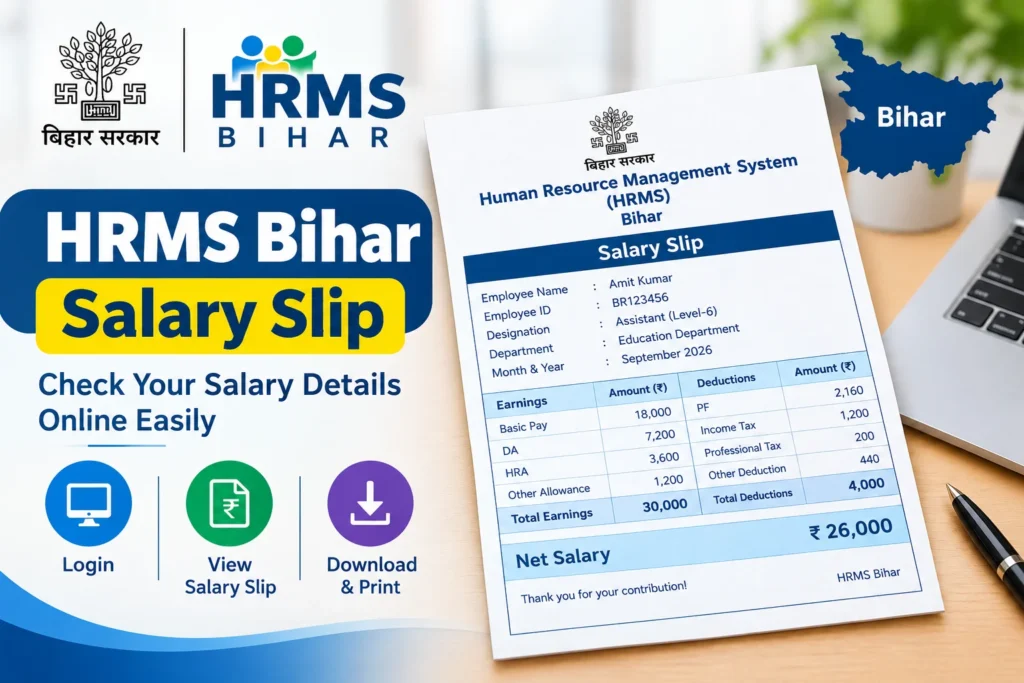

Getting your HRMS Bihar Salary Slip takes just a few minutes — log in at hrms.bihar.gov.in with your Employee Code and password, go to the Payroll section, select your month, and view or download your salary slip as a PDF.
Quick Stats Table: HRMS Bihar At a Glance
| Particulars | Details |
|---|---|
| Full Portal Name | Human Resource Management System, Bihar |
| HRMS Bihar Full Form | Human Resource Management System |
| Managed By | Finance Department, Government of Bihar |
| Official Website | hrms.bihar.gov.in |
| Current Version | HRMS 2.0 (upgraded version of the original portal) |
| Eligible Users | Current and retired Bihar State Government employees |
| Core Features | Salary Slip, Service Book, Leave Application, GPF/NPS Statements, Attendance Records |
| Salary Slip Format | Downloadable/printable PDF |
| Teacher-Specific Note | Salary now linked to daily attendance marked via the e-Shikshakosh app (2026 update) |
| Access | Available 24/7, from any device with internet access |
Note: Portal features and workflows are periodically updated by the Bihar Finance Department. Figures and steps in this article reflect publicly available information as of August 2026. Always confirm the current process directly on hrms.bihar.gov.in, since government portals do get revised without much prior notice.
What Is HRMS Bihar, and Why Does Your Salary Slip Live There?
Let’s start with the basics. HRMS Bihar stands for Human Resource Management System, and it’s the Bihar government’s official digital platform for managing state employee records — everything from salary and leave to service history and retirement benefits, all in one centralized system, run by the Finance Department.
Before this portal existed, getting something as simple as a pay slip often meant a trip to your treasury office or waiting on your department’s administrative staff. HRMS Bihar Government built this system specifically to cut that friction out entirely, letting employees self-serve most routine HR tasks from their phone or computer, any time of day.
Also Read: NDA Salary
HRMS Bihar Login Salary Slip: The Complete Step-by-Step Process
Here’s the actual walkthrough for getting your HRMS Bihar Login Salary Slip, from start to finish.
Visit HRMS Bihar Portal
⬇️
Enter Employee Code/ID + Password + Captcha
⬇️
Login to Your Account
⬇️
Go to “Payroll” / “Salary Slip” Section
⬇️
Select Month & Year
⬇️
Click “View Salary Slip”
⬇️
Salary Slip Appears on Screen
⬇️
Click Download / Print
⬇️
Save Salary Slip as PDF
HRMS Bihar Salary Slip Download PDF: A Few Practical Tips
Once you’re comfortable with the basic login flow, here are a few things worth knowing specifically about the HRMS Bihar Salary Slip Download PDF process.
1. No “Download” Button:
Press Ctrl + P or open your browser’s print option and select Save as PDF.
2. On Mobile Device:
Tap the Share icon or three-dot menu after viewing the slip, then select Download or Print to PDF.
3. Need a Full Year’s Record:
Look for the Consolidated Annual Statement option, which usually covers the financial year from April to March.
4. PDF Won’t Open / Is Password Protected:
Check your HRMS portal dashboard for specific PDF download or password instructions.
HRMS Bihar Teacher Salary Slip: What’s Different for Teachers?
If you’re a school teacher under the Bihar Education Department, your experience accessing your HRMS Bihar Teacher Salary Slip works a little differently from other state employees, and this is genuinely important to know.
| Detail | Explanation |
|---|---|
| Primary System Used | Many teachers use the payroll module (e-PMS) rather than the general HRMS portal directly |
| 2026 Update | Teacher salary is now tied to daily attendance recorded through the e-Shikshakosh app |
| Access Point | Salary slip typically sits within the payroll section linked to your teacher login credentials |
This attendance-linked change is a meaningful shift worth being aware of if you’re a teacher — it means consistently marking your attendance through e-Shikshakosh isn’t just an administrative formality anymore; it now has a direct bearing on your monthly salary processing. If your HRMS Bihar Teacher Salary Slip looks delayed or shows a discrepancy, checking your attendance records in e-Shikshakosh first is a genuinely sensible troubleshooting step before escalating elsewhere.
Also Read: SSC MTS Salary
HRMS Salary Slip Bihar Online: What Else the Portal Offers
Beyond just the pay slip itself, HRMS Salary Slip Bihar Online access sits alongside a broader set of self-service features that most employees find genuinely useful once they explore the portal a bit further.
| Feature | What It Does |
|---|---|
| Service Book Access | View your complete service history anytime |
| Leave Application | Apply for leave online and track approval status in real time |
| GPF/NPS Statement | Check your General Provident Fund or National Pension System account details |
| Attendance Records | View attendance and leave balance |
| Personal Details Update | Update your mobile number, email, or address |
| Loan Status Tracking | Track loan applications and repayment schedules |
| LTC Application | Apply for Leave Travel Concession and upload required documents |
| Grievance Redressal | Submit and track complaints related to HR or payroll issues |
How Can I Check My Salary In HRMS Without Downloading Anything?
Sometimes you don’t need a formal PDF — you just want to quickly verify a number. Here’s how How Can I Check My Salary In HRMS works if you simply want to view details on screen.
Related Terms Worth Knowing
A few terms come up often around this topic, and understanding them makes the whole portal experience clearer:
- DDO (Drawing and Disbursing Officer) — the department official responsible for processing and disbursing employee salaries.
- GPF (General Provident Fund) — a retirement savings scheme for government employees, viewable through HRMS.
- e-Shikshakosh — the app now linked to teacher attendance and, by extension, salary processing in Bihar.
- e-PMS — the payroll management module many Bihar teachers specifically use for salary-related access.
- LTC (Leave Travel Concession) — a benefit allowing eligible employees to claim travel expenses, applied for through the HRMS portal.
Also Read: Deputy Collector Salary
Conclusion
Here’s the bottom line. Getting your HRMS Bihar Salary Slip genuinely doesn’t need to be complicated — log in, navigate to Payroll, select your month, and either view it on screen or download it as a PDF in under a couple of minutes. Whether you’re a general state employee or a teacher navigating the e-Shikshakosh-linked attendance system, the core process remains largely the same, even if a few specific steps differ by department.If you ever run into trouble, remember that your DDO or department administrator is usually your fastest route to a real fix, faster than waiting on a general help desk.
Frequently Asked Questions
1. How do I download my HRMS Bihar Salary Slip?
Log in at hrms.bihar.gov.in using your Employee Code and password, go to the Payroll section, select your month, and either click the download button or use your browser’s Print → Save as PDF option.
2. What is the HRMS Bihar Full Form?
It stands for Human Resource Management System, the Bihar government’s official digital HR and payroll portal for state employees.
3. How is HRMS Bihar Teacher Salary Slip access different from other employees?
Teacher salary is now linked to daily attendance recorded via the e-Shikshakosh app as of 2026, and many teachers access payroll details through the e-PMS module tied to their teacher login credentials.
4. Can I get my HRMS Bihar Salary Slip PDF Download In Hindi?
The portal generally supports both English and Hindi navigation, though whether the salary slip document itself displays in Hindi can vary; check your dashboard’s language toggle option directly.
5. How Can I Check My Salary In HRMS without downloading a PDF?
Simply log in, go to the Payroll section, select your month, and view your salary details directly on screen without needing to download anything.
6. What should I do if my HRMS Bihar Salary Slip isn’t available for the current month?
This usually means payroll processing for that month hasn’t completed yet. If the delay continues beyond the expected disbursal date, contact your DDO for clarification.